S3 as a repo for public helm charts

Today we couldn't install some of our apps due to helm dependencies from bitnami that couldn't be downloaded.
Initially, I thought that Bitnami changed something again, i.e., switched to an OCI-only repo or something like that.
But then I found other people complaining.
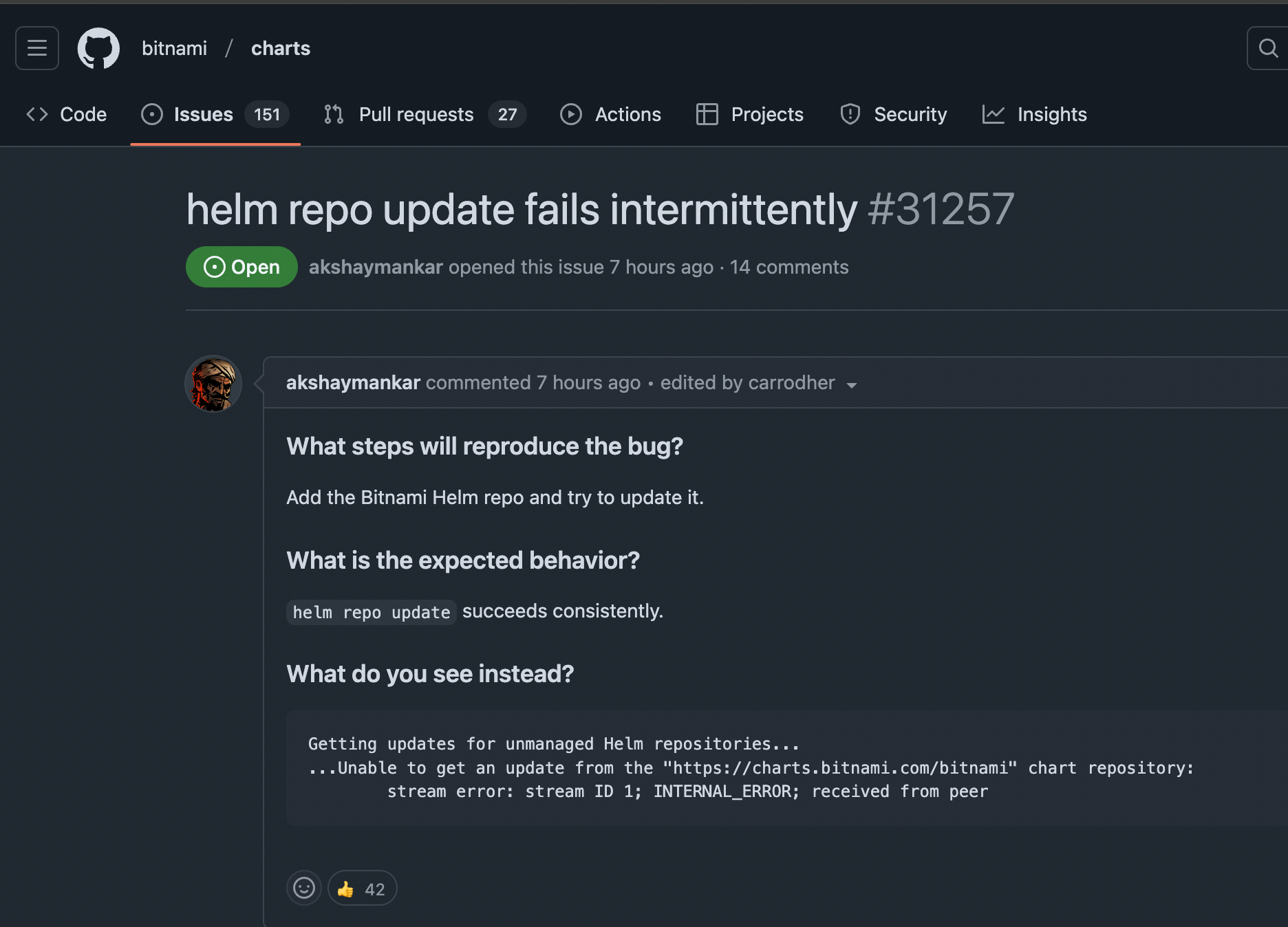
So we were not alone. As it was later found, bitnami cached/hosted helm indices with Cloudflare that had hiccups that day.
As a quick fix, I had several options: push dependencies to OCI ECR, put dependencies in a source repo with git-lfs, or use s3 for hosting. The first option requires renaming charts and adding helm- prefixes, git-lfs is something I don't like. So, S3 seemed to be the most optimal.
Here's a quick howto:
- Create s3 bucket.
- Install the Helm S3 plugin
helm plugin install https://github.com/hypnoglow/helm-s3.git- Get all the dependencies for the chart to have *.tgz files to be pushed later to s3:
helm dependency updateThat's actually where we have issues on CI. But it worked well on my laptop so I could push tar files to s3.
- For each of the dependent subcharts, I ran commands:
helm s3 init s3://${bucket_name}/bitnami/$chart/
helm repo add bitnami-${chart} s3://bucket_name/bitnami/${chart}/
helm s3 push ./charts/${chart}-${chart_version}.tgz bitnami-${chart}
- Then I checked that all actual tgz files were in s3 bucket:
aws s3 ls s3://${bucket_name}/bitnami/ --recursive- The last step was just to update
Chart.yamlandChart.lockfiles.
I changed the repository field for all Bitnami charts in Chart.yaml:
# example for redis subchart
-  repository: https://charts.bitnami.com/bitnami
+  repository: s3://$bucket/bitnami/redis/
And ran helm dependency build to build new Chart.lock.
That's it, after adding helm s3 plugin into our ci-tools image the deployment has been fixed.